new york
Photoshop and Lightroom
BLUE SKYLINE TRANSFORMATION
(Focus: colour contrast, atmosphere and de-hazing)The aim was to breathe life into a flat, overcast, low‑contrast shot of the downtown skyline and walkway.Temperature was cooled down significantly and the tint gently shifted to introduce deep blues and purples into the grey sky.
Saturation and luminance of oranges and yellows were boosted, making the lit office windows pop vividly against the cooler environment.
Global Dehaze and Clarity were dialled up to cut through the overcast, restoring crisp structural detail and reflections in the skyscrapers’ glass.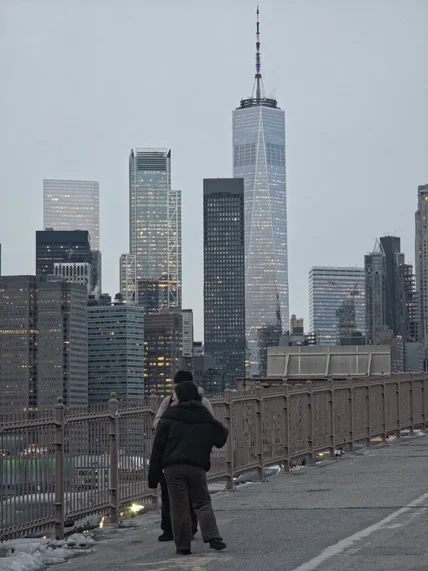

A tight vertical crop framing the subject tightly against the high-rises.Global white balance shifted towards more cooler and blue tones to replicate a cinematic night atmosphere.
Using Lightroom, a sharp S-Curve to deepen blacks and shadows to produce a silhouette effect on the subject whilst preserving city windows and lighting in the back.
(Focus: composition, tone curves and subject isolation)Bridge Silhouette


The aim was to turn a wide, brightly lit night scene into a moody portrait centred on the subject’s silhouette.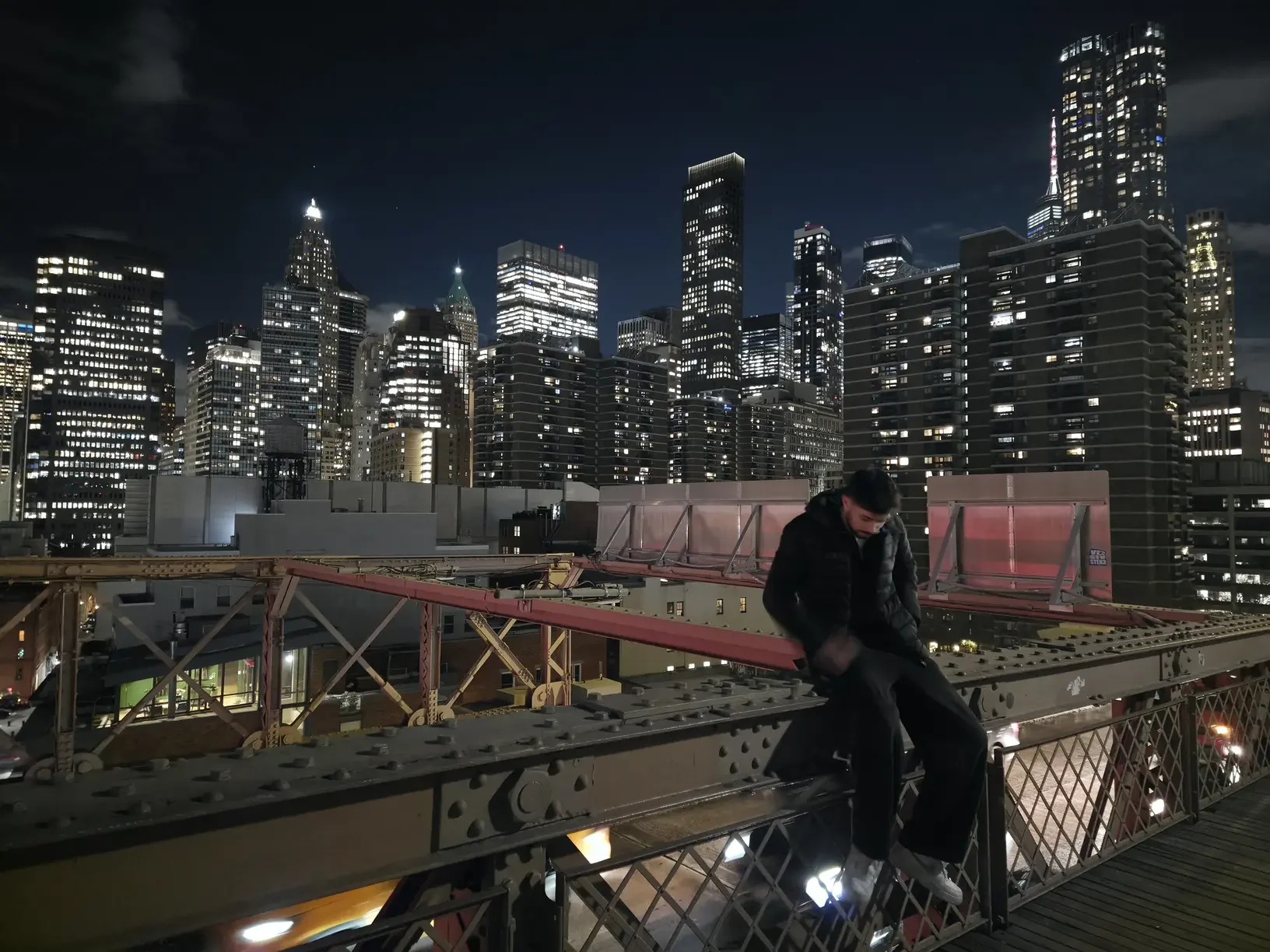
Heavy retouching in Photoshop used Generative Remove to seamlessly erase the prominent figure in the left foreground plus background pedestrians and cluttered street elements, refocusing the frame entirely on the intended subjects.

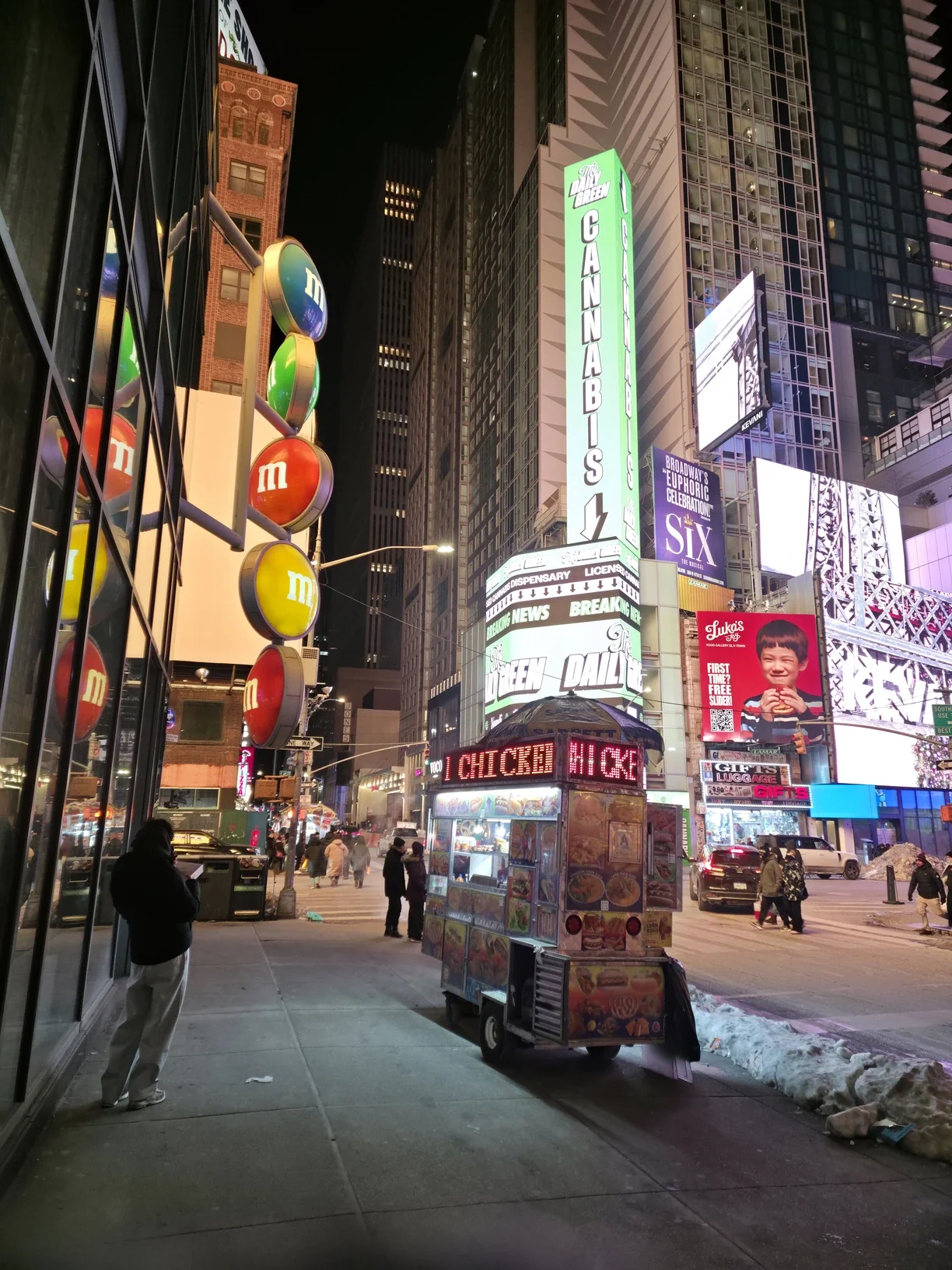
Free Transform was used to correct converging verticals, so the towering buildings sit straight and grounded. Localised sharpening was applied to the signs and menus to ensure crisp readability
(Focus: HDR recovery, perspective correction and object removal)Times Square Neon & Street Car
The objective was to balance the extreme dynamic range of a chaotic Times Square street scene while heavily decluttering the composition to focus on the illuminated food cart and towering signage.